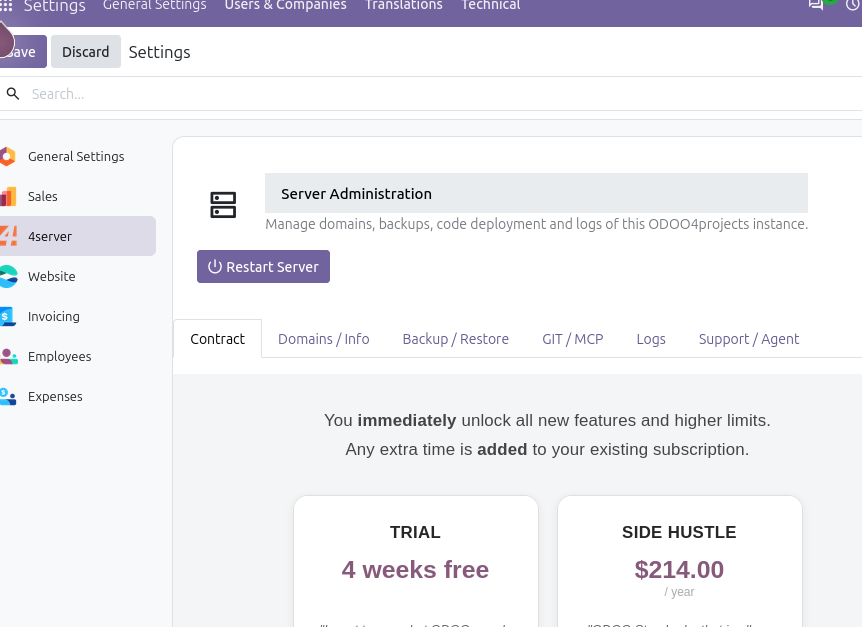
We've just rolled out a major update to the management app preinstalled on your ODOO4project service. Along with a fresh new look, we've added several powerful features to make managing your Odoo hosting easier. Here are six practical tips to help you get the most out of them.
1. Automate hosting tasks with the new MCP server
The new MCP server lets your agent control your Odoo hosting directly. You can restart the server, upload modules, add or check domains, manage backups, and read logfiles—all without manual intervention. Tip: Configure your agent to handle routine maintenance so you can focus on development.
2. Download and archive logfiles for easier troubleshooting
You can now download and archive logfiles directly from the app. Tip: When debugging an issue, download the relevant logfile to analyze it locally. Archive older logs regularly to keep your system organized and reduce clutter.
3. Take advantage of the free backup schema
We've added a free backup schema for everyone to improve data security. Tip: Make sure backups are scheduled and test restoring from a backup occasionally to ensure your data is safe.
4. Explore the improved AI server management backend
The AI server management backend has been upgraded. Tip: Spend a few minutes navigating the new interface—you'll find streamlined workflows that make server management more intuitive.
5. Install modules faster with improved GIT support
Module installation via GIT has been improved. Tip: Use GIT to install or update modules more efficiently, especially when you need to manage versions or deploy across multiple environments.
6. Get instant help from the AI support bot
Our AI support bot has also been improved. Tip: When you run into a question, ask the bot first—it's a quick way to get answers without leaving your workflow.
These updates are designed to save you time and give you more control over your Odoo hosting. Ready to try them out? Start your free trial on ODOO4projects.com.